Prove every policy
was read.
By whom, and in
which version.

Send a policy to the right people, watch the confirmations come in, and keep a version-linked record of who acknowledged what. When somebody asks for it later, it is already there.

Get started
Try with up to 10 recipientsNo credit card
Get started in secondsMagic link access
Choose between EU or US hosting
See how it works
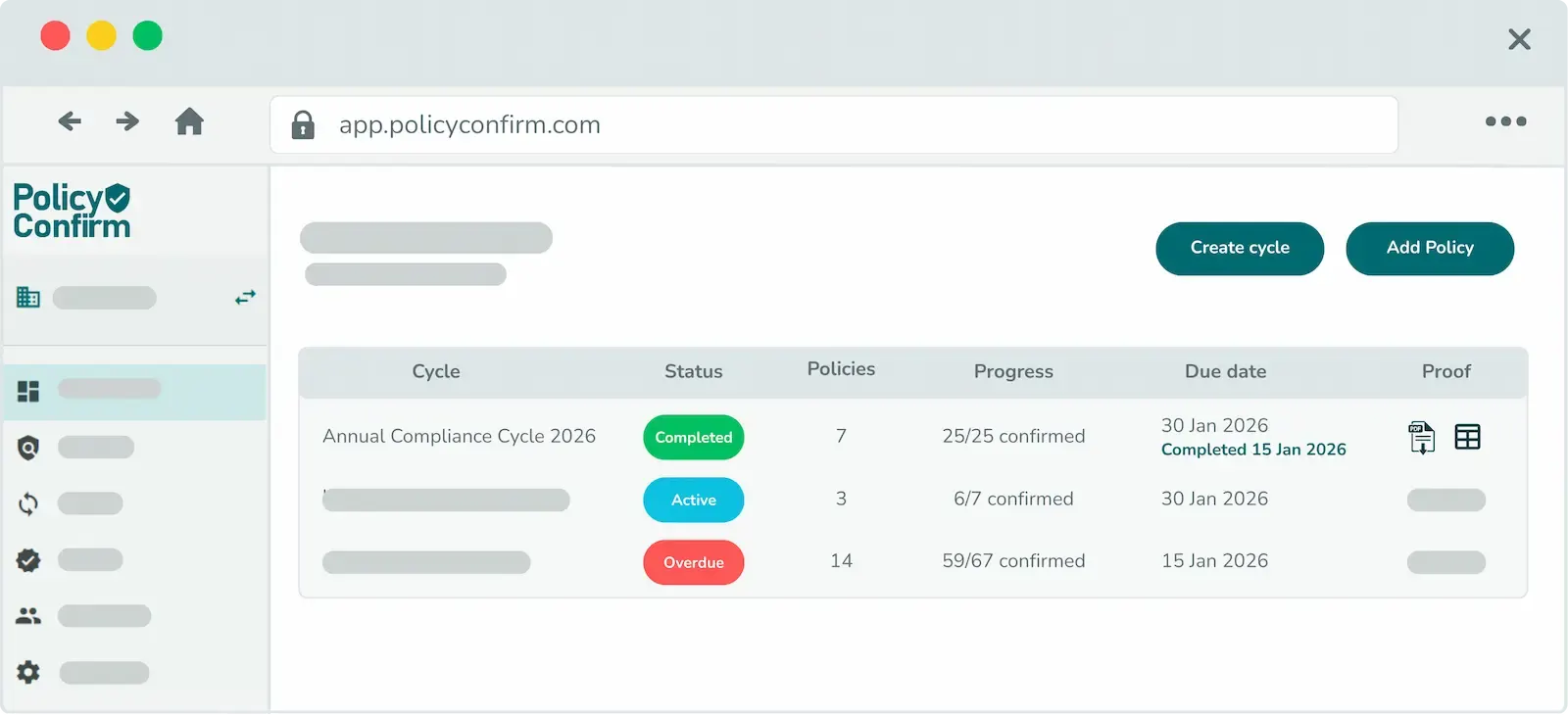
Policy Confirm dashboard showing compliance cycles with status, policies, and progress tracking
Principles

Policy distribution that holds up

In some organizations one person owns this alongside four other jobs. In others it is a compliance function answering for every site and every framework. What comes out is the same record.

You know which version

Policies and their versions live in one place, not in a folder, an email thread and somebody's memory. Every send is tied to one version and one recipient list, so there is never a question about which document a person was given.

They confirm it themselves

Each person makes an explicit acknowledgement of their own, tied to them and to the version they were sent. Groups pick up the right people automatically, so you are not keeping a list of who still owes you a reply.

The record is already there

Every confirmation is timestamped and locked to the version that was current when it was made. When a customer, head office or an auditor asks, the evidence is assembled already and nothing has to be reconstructed.

How it works

From upload to verified in three steps

01

Upload & target

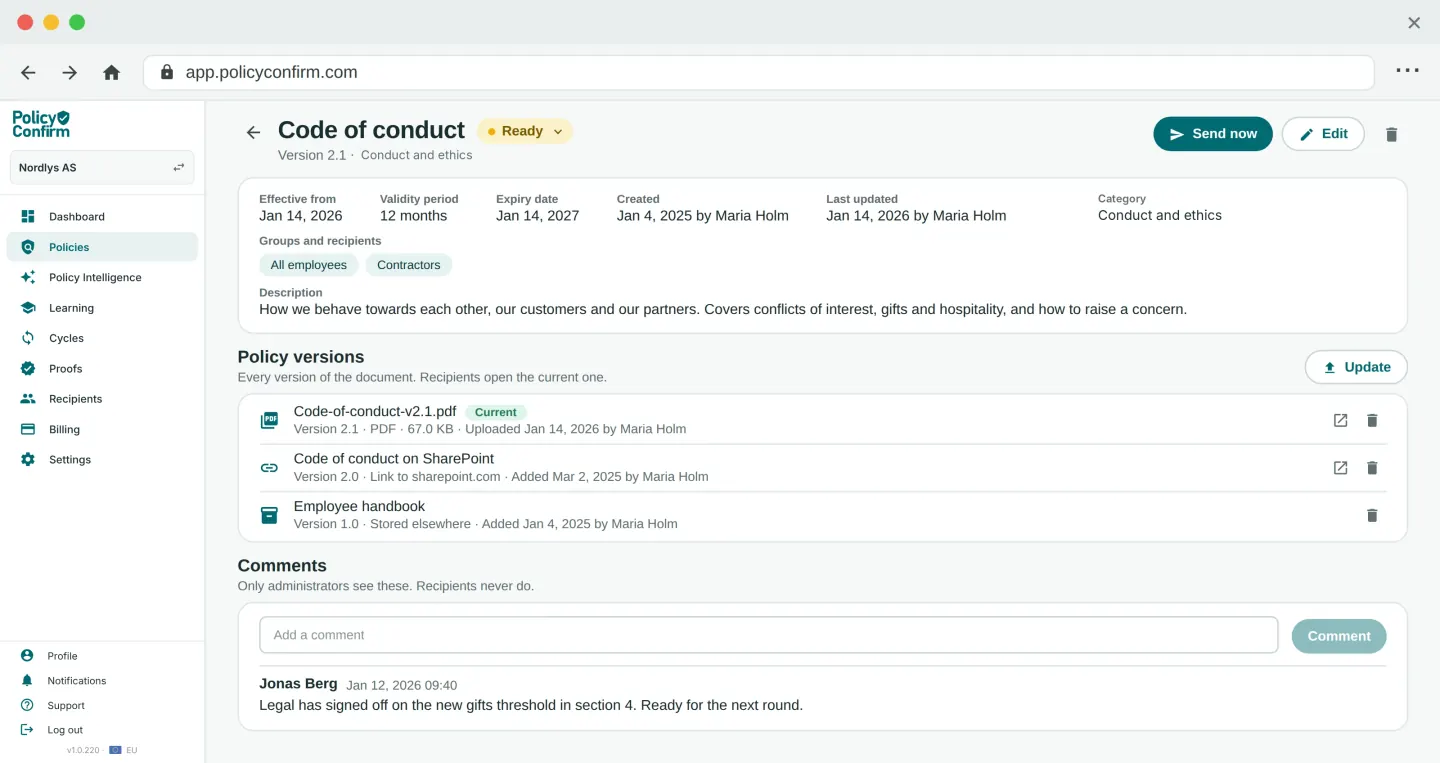
Upload the PDF and pick who gets it, by department, location or role. The upload creates a version-linked record, so every confirmation that follows points at this exact document.

Policy Confirm policy detail view showing file versions, upload timestamps, and version history
02

Distribute

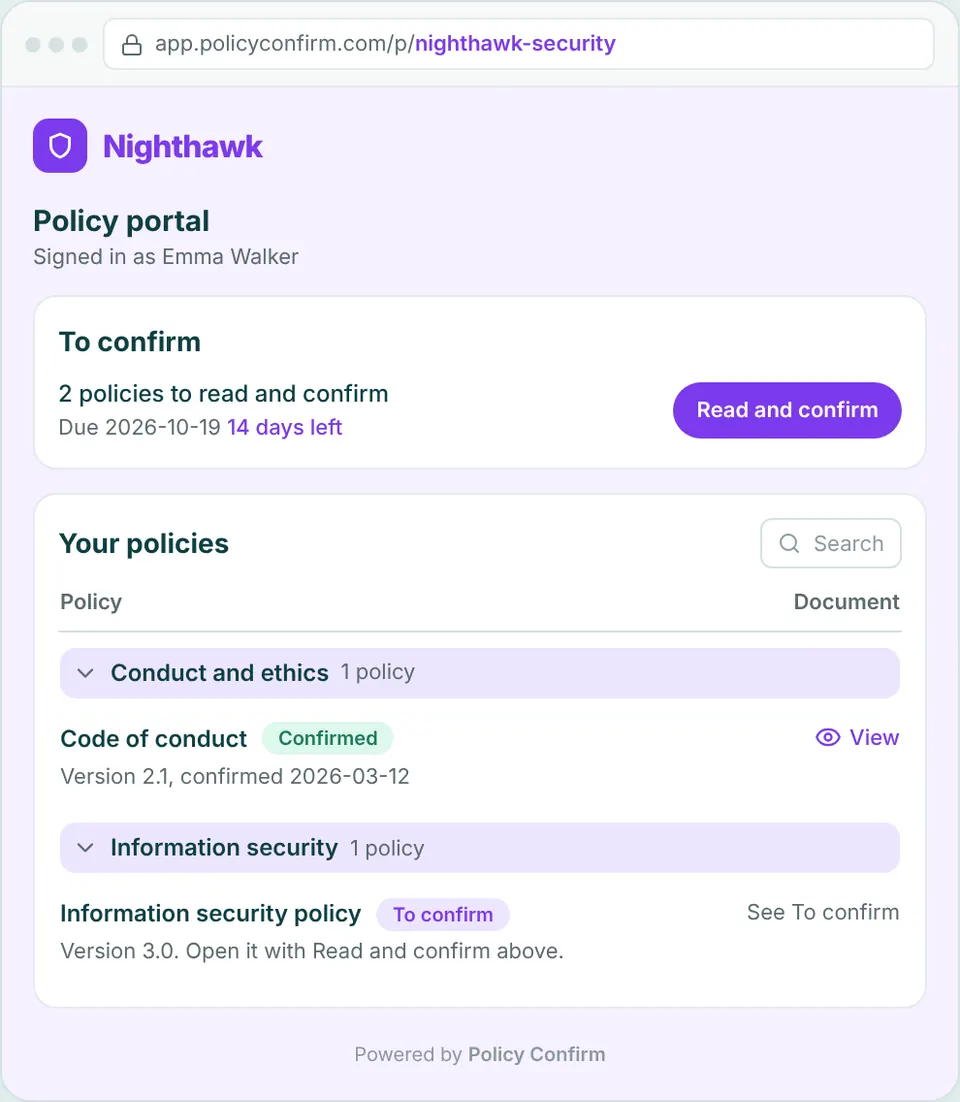
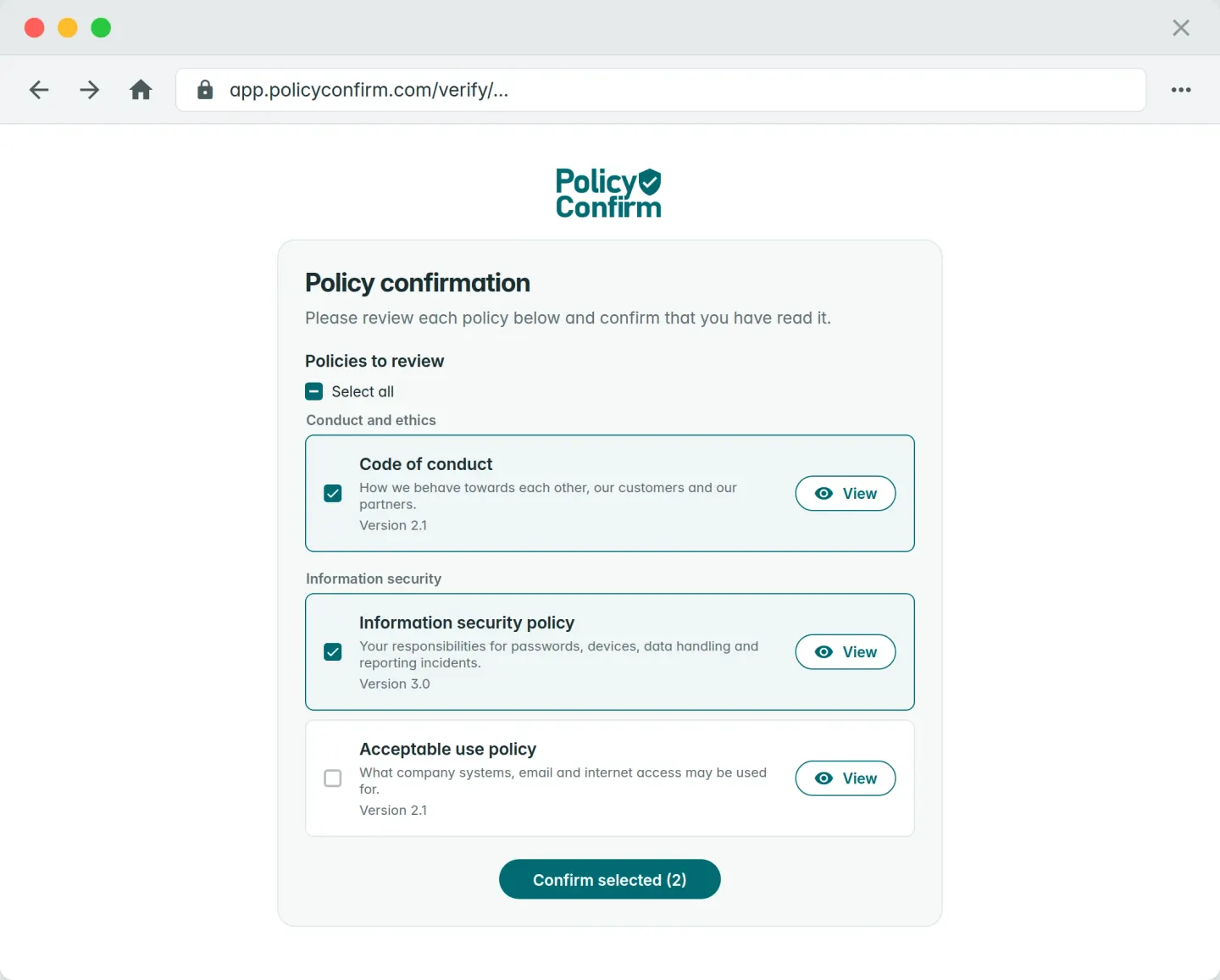
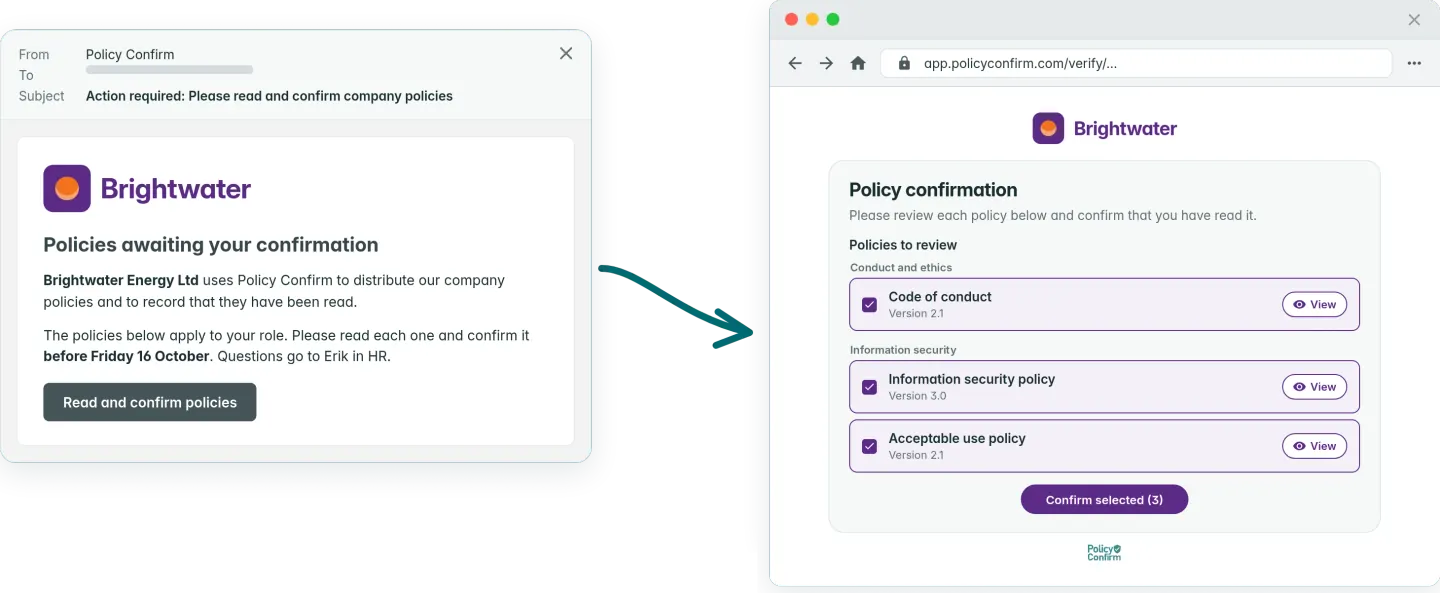
Everyone gets a secure personal link by email. They open the policy, read it and confirm. No account, no password, nothing to install, which is what keeps completion rates up among people who do not live in software.

Policy Confirm recipient confirmation page with single-click acknowledgement
03

Track & prove

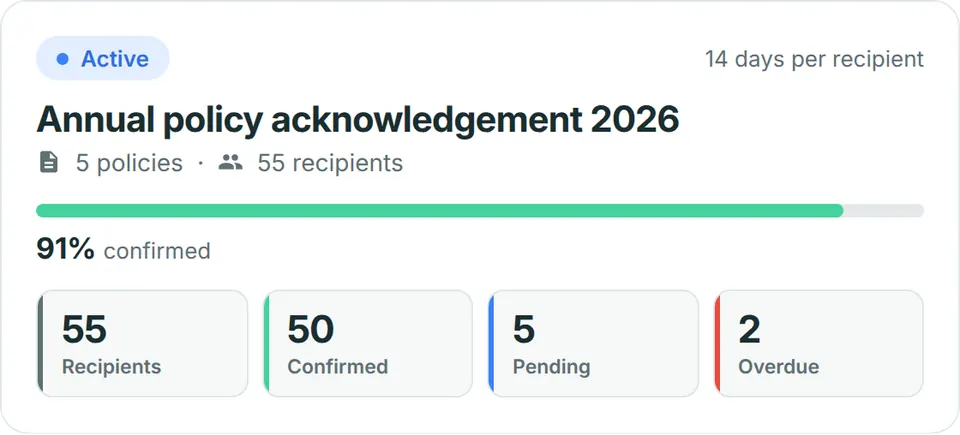
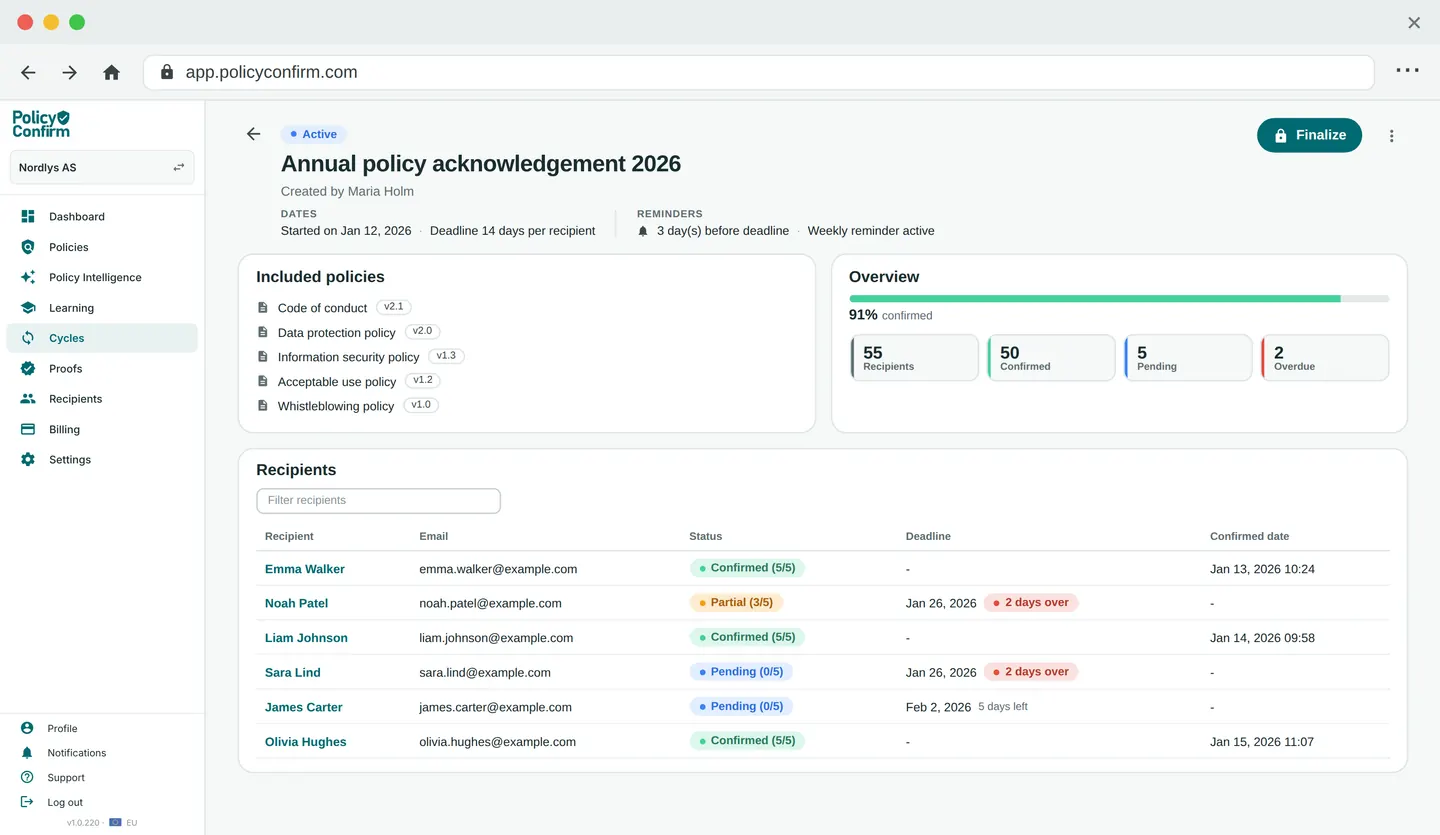
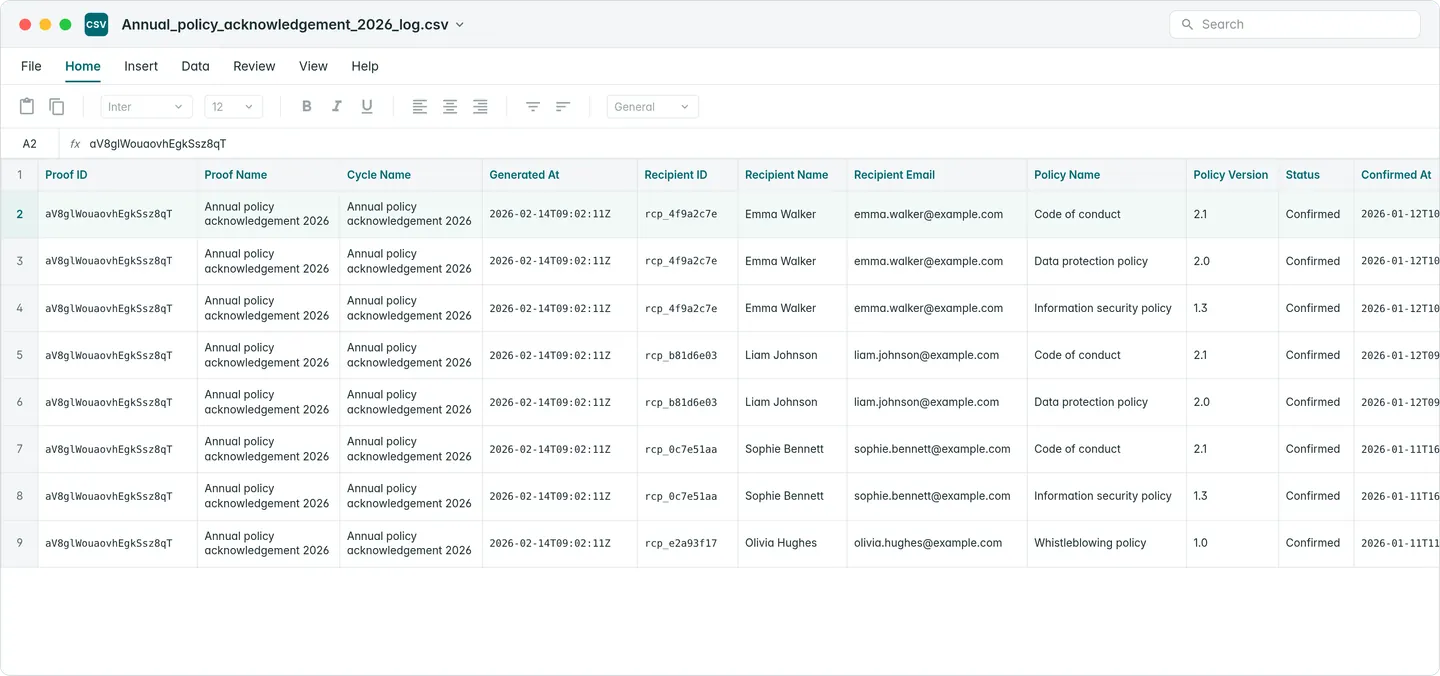
Watch who has confirmed and who has not, as it happens. When you need to hand the evidence over, export a PDF certificate or a CSV log with the timestamps, versions and individual actions already in it.

Policy Confirm dashboard showing annual policy acknowledgement cycle with recipient status and confirmation overview
Features

Built for control and
evidence

Turn passive distribution into verified acknowledgement. Full control for administrators, direct access for recipients.

Coverage on autopilot

Coverage stays complete without anyone chasing it. New joiners are picked up automatically, and policies come back round on the schedule you set, so nothing lapses quietly.

Bulk import & group targeting

Import recipients in bulk from CSV, Excel or Active Directory sync (Microsoft Entra ID), then group them by role, department or location-based policy targeting. When new employees join a group, they inherit all active policies automatically, with no manual admin work.

Version control

Every policy is versioned explicitly. When a document changes, you decide whether to start a new confirmation round or update the file for recordkeeping only. Each version is locked at dispatch and fully traceable.

Confirmation cycles

Group policies into a single, controlled confirmation cycle across teams and departments. Confirmations stay synchronized, deadlines aligned, and proofs unified.

Flexible cycle management

Handle exceptions without stalling progress. Decide whether to extend deadlines or finalize cycles as-is, while keeping confirmations consistent and cycles under control.

Magic link access

Recipients confirm policies via a secure, personal link. No accounts or passwords are required, while every confirmation remains uniquely identified and timestamped.

Your branding

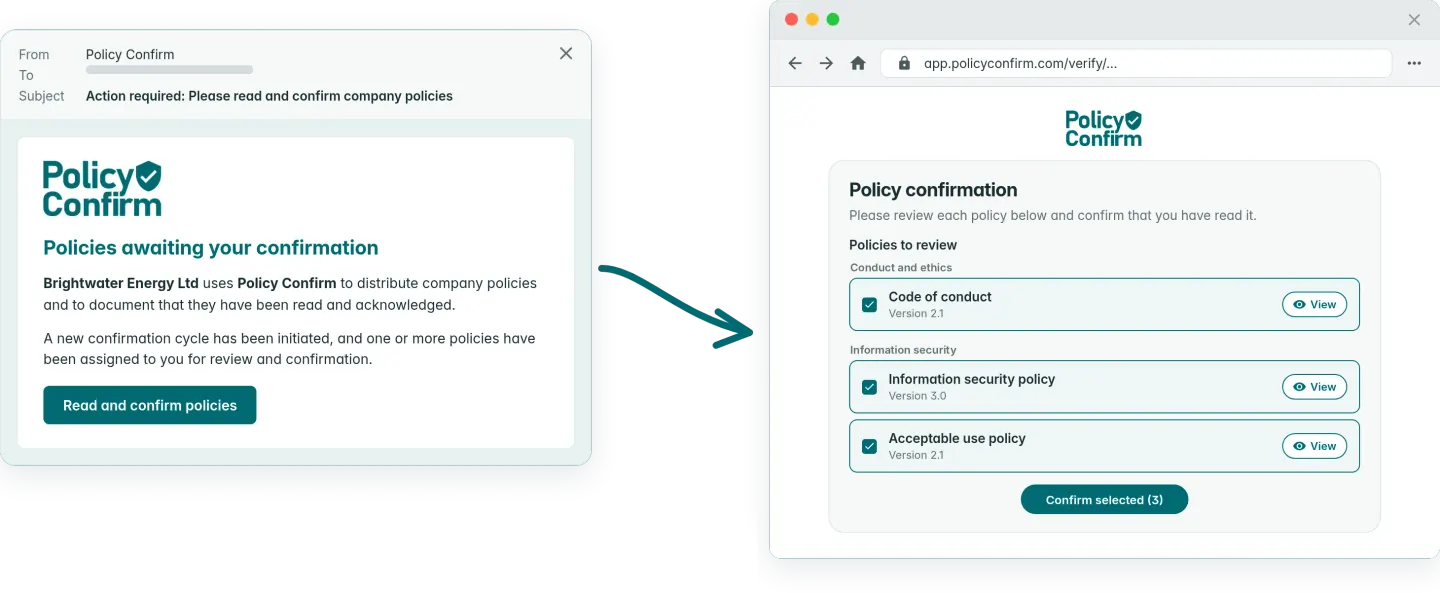
Add your own logo, message, and color to everything recipients see, from the first request to the moment they confirm.

Microsoft single sign-on

Sign in using an existing Microsoft work account. No separate credentials required for administrators or recipients.

Delegated follow-up

Assign supervisors to recipient groups and let them follow up with their own teams. Outstanding confirmations are handled close to the people who owe them, not by one central admin.

Quiz questions

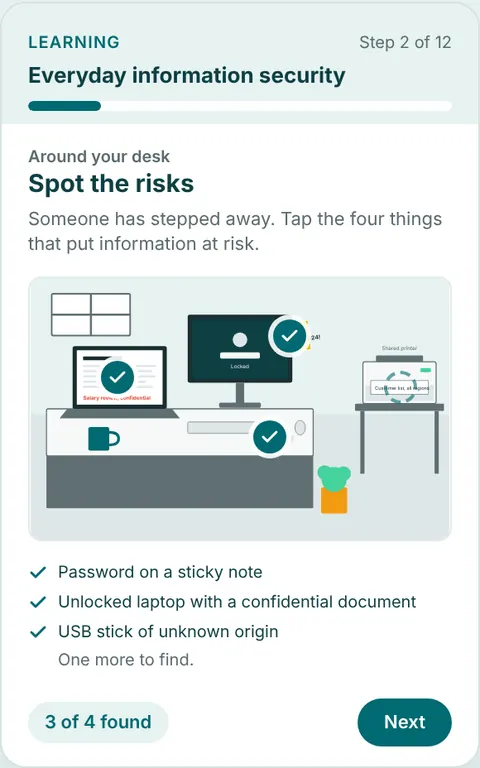
Add questions to a policy and every recipient has to answer them before they can confirm. Set once, enforced for everyone.

eSign signatures

If preferred, require recipients to draw their signature before confirming policies. An optional add-on for use cases where a more formal acknowledgement is needed.

Verifiable documentation

Formal PDF certificates and detailed CSV logs, with timestamped records for every single recipient.

PDFCSV

Full audit log

All events, including uploads, version changes, dispatches, confirmations, and closures, are logged. Nothing is implicit. Nothing is lost.

Data retention

Set how long confirmation records are kept for inactive recipients. Records are automatically deleted when the retention period expires, supporting GDPR and industry compliance requirements.

Smooth experience

No login needed for recipients

A secure personal link takes each recipient straight to the policies assigned to them. Nothing to sign up for, nothing to remember, nothing to install. That is why the people who are hardest to chase still confirm.

  • No account
  • No password
  • No install
Illustration of the recipient experience: email with link to confirmation page
Proofs

Audit-ready documentation

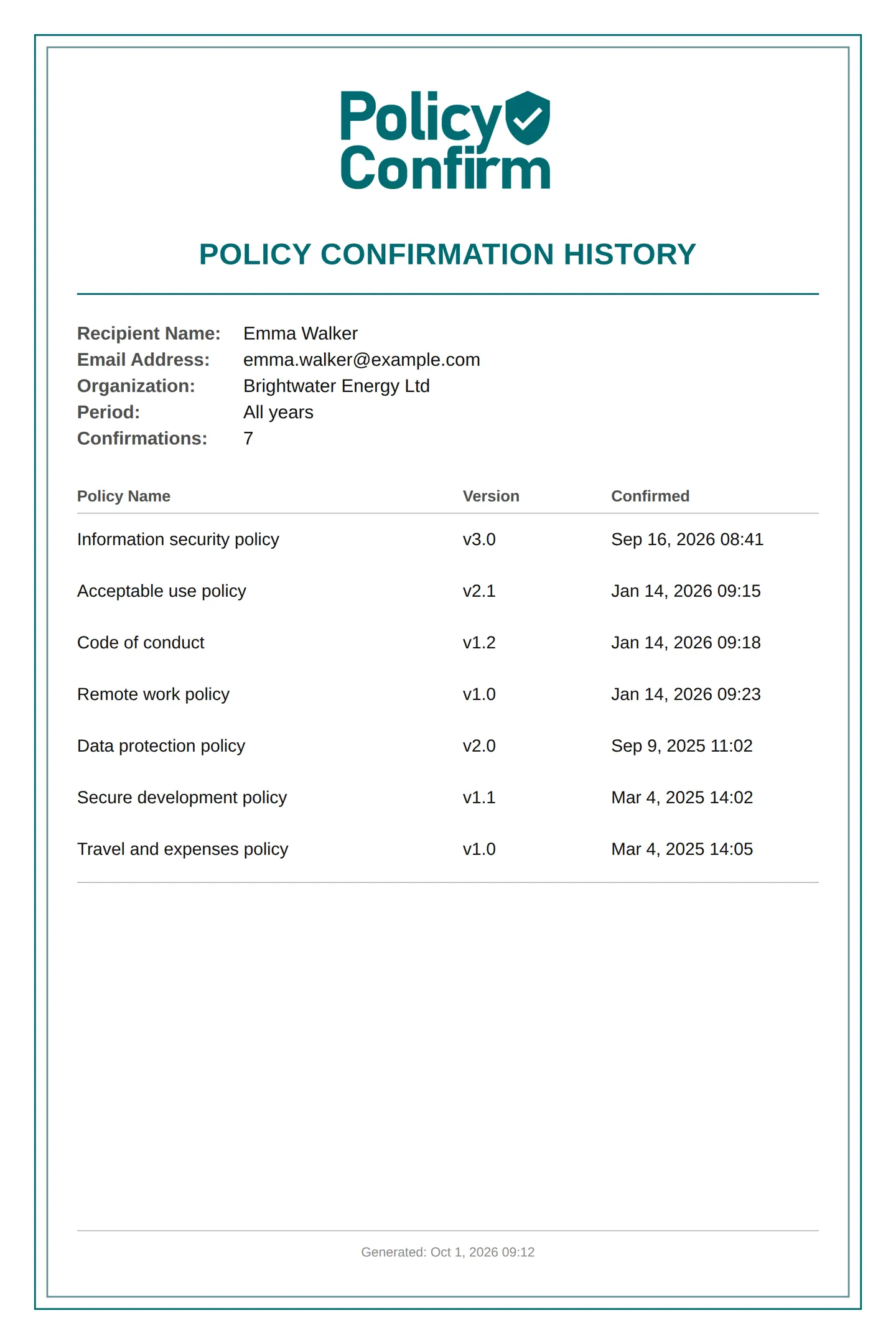
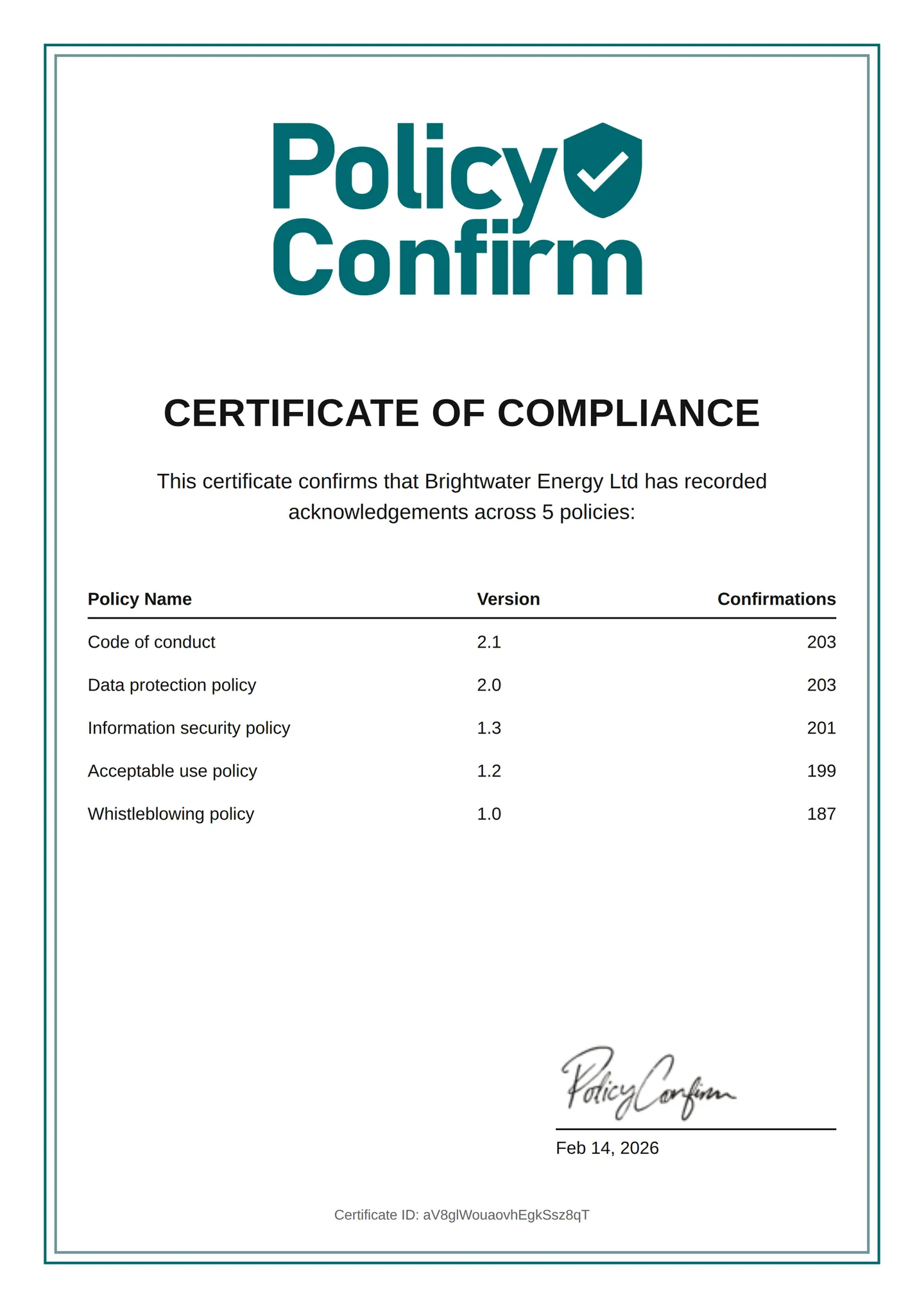
Two formats, both produced the moment you ask for them. A certificate when someone needs one document showing the policy was confirmed, and a CSV log when they want to work through every recipient, version and timestamp themselves.

Click to switch format

PDF confirmation certificate example with version, timestamps, and recipients
Organization certificate of compliance showing acknowledgements across all policies
CSV confirmation records example with timestamps and recipient details

Plans & pricing

From evaluation to organization-wide rollout.

Priced by how many people you send to, so a team of forty is not paying for a platform built for four thousand.

Free

No time limit
No credit card

Test and evaluate the system

Up to 10 recipients
$0 / month
  • Includes all standard features
Get started

Standard

Everything you need to run policy confirmations and produce proof.

Up to 75 recipients
$49 / month
Up to 250 recipients
$79 / month
Up to 1000 recipients
$139 / month
  • Unlimited policies & confirmation cycles
  • Version control
  • Smart targeting
  • Active Directory sync (Microsoft Entra ID)
  • Unlimited administrators
  • Magic link access
  • Microsoft single sign-on
  • Electronic signature (eSign)
  • Quiz questions
  • Automated reminders
  • Delegated follow-up
  • Verifiable documentation (PDF & CSV)
  • Full audit log
Get started

Enterprise

For organizations that require delegated governance, multiple entities, or tailored compliance workflows.

Frequently asked questions

Clear answers about acknowledgements, confirmations, and the records they leave behind.

Usage & scope

Yes. It can be used for any document where you need verifiable proof that recipients have read and acknowledged the content. This includes internal guidelines, HR notices, security procedures, onboarding materials, updated terms, and mandatory internal communications.

Email and shared folders only show that a document was sent or made available. They do not provide proof that a specific person acknowledged a specific version. This platform creates explicit, traceable confirmations tied to individuals, documents, and versions.

No. Recipients confirm documents through a secure personal link. No accounts or passwords are required.

Yes. An individual site, laboratory, or subsidiary can run its own policies, cycles, and records without involving group IT. Where a group later wants shared policies and consolidated reporting across entities, that is available on Enterprise.

Yes. Accredited laboratories commonly need to show that personnel confirmed the current version of a procedure before performing work. Every confirmation is locked to a specific document version with a timestamp, and the record can be exported for an assessment.

Confirmations & enforcement

Yes. All confirmation cycles are started explicitly by an administrator. Nothing is sent automatically without intent.

No. Each confirmation cycle results in one clear request. Automated reminders are only sent if the recipient has not confirmed.

The confirmation remains pending and reminders continue according to the configured schedule. If a recipient never confirms or leaves the organization, an administrator can finalize the cycle with a documented exception.

Audit, proof & compliance

Yes. Every acknowledgement is locked to a specific document version. Updates never overwrite historical confirmations.

Yes. All confirmations are logged with timestamps and version references. Audit-ready documentation can be exported as PDF certificates and detailed CSV logs.

Defensible evidence typically includes version-specific confirmations tied to identifiable individuals, timestamps, visibility into outstanding acknowledgements, and a retrievable log that can be exported without manual reconciliation. The goal is not just to show that a policy was sent, but to demonstrate traceable acknowledgement of the exact version in force.

ISO 27001 does not mandate specific software or acknowledgement mechanisms. However, it requires organizations to demonstrate awareness and control of documented information. In practice, structured acknowledgement is often the most defensible way to evidence awareness because it links individuals to a defined policy version and produces retrievable documentation during audit review.

SOC 2 does not prescribe a specific tool. Auditors testing the control environment normally ask for evidence that personnel were made aware of, and agreed to, the policies in force during the audit period. Version-specific acknowledgements with timestamps and an exportable log are one way to satisfy that request during SOC 2 evidence collection.

Email confirmation can be acceptable in small, tightly controlled environments. The risk is reconstruction: email threads rarely provide consistent version linkage, reminder history, and exportable evidence. If an auditor asks who acknowledged a specific policy version on a specific date, manual processes can become fragile and time-consuming to validate.

SharePoint can distribute policies, but version-specific acknowledgement tracking and structured export often require additional configuration.

No. This is designed for policy acknowledgements, not contract signing. For most internal compliance requirements, explicit acknowledgement with a full audit trail is sufficient.

It is commonly used by organizations that carry a compliance obligation imposed from outside, such as an accreditation body, a regulator, a parent group, or a customer security review. Sometimes the responsibility sits with finance, IT, quality, or operations alongside everything else those people already do. Sometimes it sits with a compliance function running it across the whole organization. It is also used by individual sites and subsidiaries inside larger groups that need their own records.

Latest from Policy Confirm

Guides, templates, and best practices for policy management and compliance.

Start collecting verified policy acknowledgements

For a demo or specific questions about your compliance requirements, get in touch at:

Get started
Try with up to 10 recipientsNo credit card
Get started in secondsMagic link access
Choose between EU or US hosting