September 2026 release: one record per person, and your brand on every request
Originally published:
Last updated:
Two things in this release. Open any person and see every policy they have confirmed, across every cycle, with old and new versions side by side. And recipient emails and confirmation pages that carry your logo, your message and your color, so the request looks like it came from you.
One person, every cycle
Open a recipient and the page shows the cycles they have been part of, newest first. Below that, one table collects every policy they have confirmed across all of those cycles: the policy, the version they confirmed, how they confirmed it, which cycle it came through, and the date and time.
Next to each version is a badge. Latest means the policy is still on the version this person confirmed. Older means it has been updated since, so they have not yet confirmed the current text. Deleted means the policy is gone; the confirmation still stands. Keep Latest version only on to see where someone stands today, or turn it off to see every earlier confirmation too, and narrow the list to one or more years.
Two buttons take it out of the app. Export to Excel downloads the table as filtered. Generate PDF report builds a PDF of the same confirmations, and lets you choose the years, whether to include earlier versions, and whether to name the cycle on each line. When an auditor asks for a name, this is the page you open.
Your brand on every request
A recipient decides within seconds whether an email is legitimate, and an unfamiliar sender loses that decision. Under Settings, the emails recipients get and the page they land on can now carry your own logo, your own message and your own accent color. Drag the handle to compare.
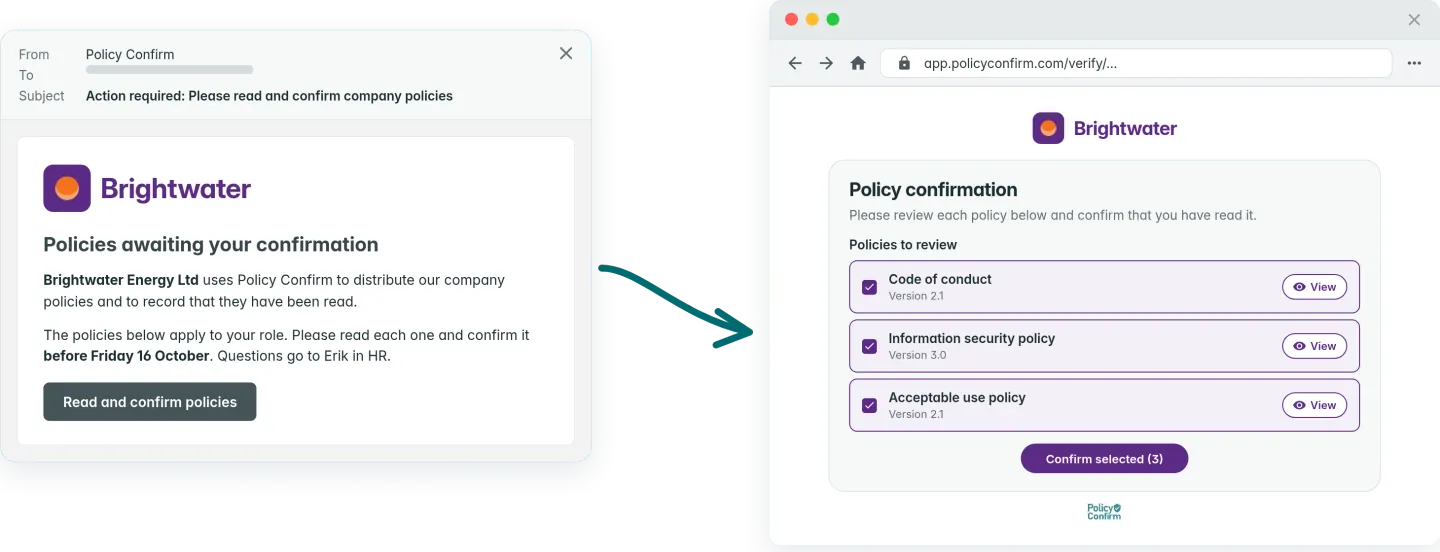
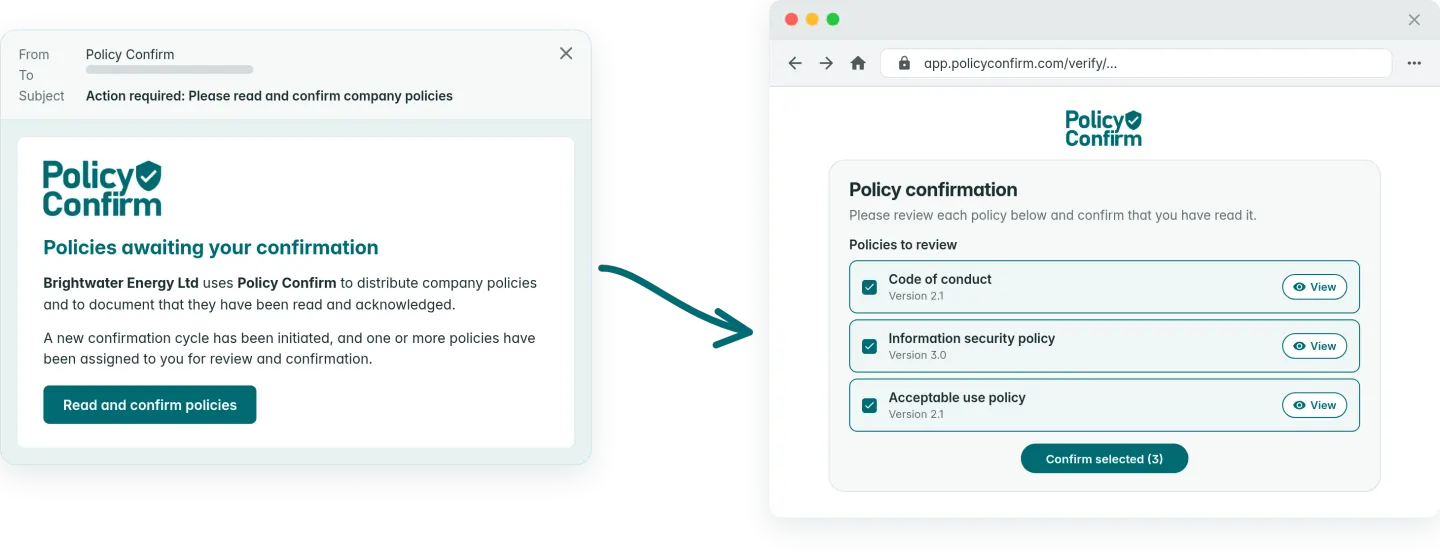
The message replaces the standard text between the heading and the button, in the first notice and in every reminder. You can make words bold, italic or underlined, and the line breaks you type are kept, so a deadline stands on its own line. Your logo takes the top of the email and the page. The page keeps one accent color, Policy Confirm green by default, which you can replace with yours.
Nothing goes out unseen. Preview of email and Preview of confirmation page show what a recipient receives, with your logo and message in place and the editable areas marked. Email and branding customization is available on paid plans.
Also in this release
Cycles can be saved as drafts and sent later, or scheduled for a date and time, and they can run without an end date. Combined with automatic inclusion of new recipients, that gives you a standing onboarding cycle.
Frequently asked questions
How do I see every policy an employee has acknowledged?
Open the person from the Recipients list. The Policies section of their page lists every policy they have confirmed across all their cycles, with the version, the cycle and the date. Latest version only is on by default; turn it off to see earlier versions as well.
What does the Older badge mean?
The policy has been updated since this person confirmed it, so they have acknowledged an earlier version and not the current text. The earlier confirmation still counts for the period it covers.
Can I export one employee's confirmation history?
Yes. Export to Excel downloads the table as you have filtered it. Generate PDF report produces a PDF of the same confirmations, where you choose the years, whether to include earlier versions, and whether to name the cycle on each line.
Can I put my own logo and message on the emails recipients get?
Yes. Under Settings, Email and branding customization, you can replace the standard text with your own message, add your logo to the email and the confirmation page, and set the page's accent color. Preview of email shows the result before anything is sent. This is available on paid plans.
Get started. Free up to 10 recipients.
Every confirmation, per person, across every cycle. Open any recipient to see it.
Get startedAbout the author
The team behind Policy Confirm has hands-on experience across full-stack development, product growth, compliance leadership, and executive technology roles such as CTO and CPTO. They have led and supported ISO 27001 implementations, policy governance initiatives, and audit-driven compliance projects in regulated environments. This background informs a practical, audit-oriented approach to policy management and policy acknowledgements.
Related content
- How to prove policy acknowledgement during an audit
- Policy version control best practices
- How to automate policy distribution when onboarding new employees
Legal disclaimer
The information provided in this article does not, and is not intended to, constitute legal advice; instead, all information, content, and materials available on this site are for general informational purposes only. You should contact your attorney to obtain advice with respect to any particular legal matter.