Policy acknowledgement
Policy acknowledgement is a named person confirming that they have read a specific version of a policy, at a recorded time, in a way that can be shown to someone else later.
That last part is what separates it from sending a policy out. An email was sent, a file was opened, a row was ticked in a spreadsheet: none of those is a confirmation by the person. This section defines the term, shows what the process looks like in practice, and explains how it can be shaped around an organization without the record getting weaker.
What a valid acknowledgement needs
- 1. A specific policy, at a specific version
- 2. A specific person, whose identity was checked
- 3. An explicit action by that person, not by an administrator
- 4. A record of when, kept where it cannot be edited
What it looks like in practice
Three screens from Policy Confirm, one for each side of the process: the person confirming, the administrator following up, and the record that is left behind.
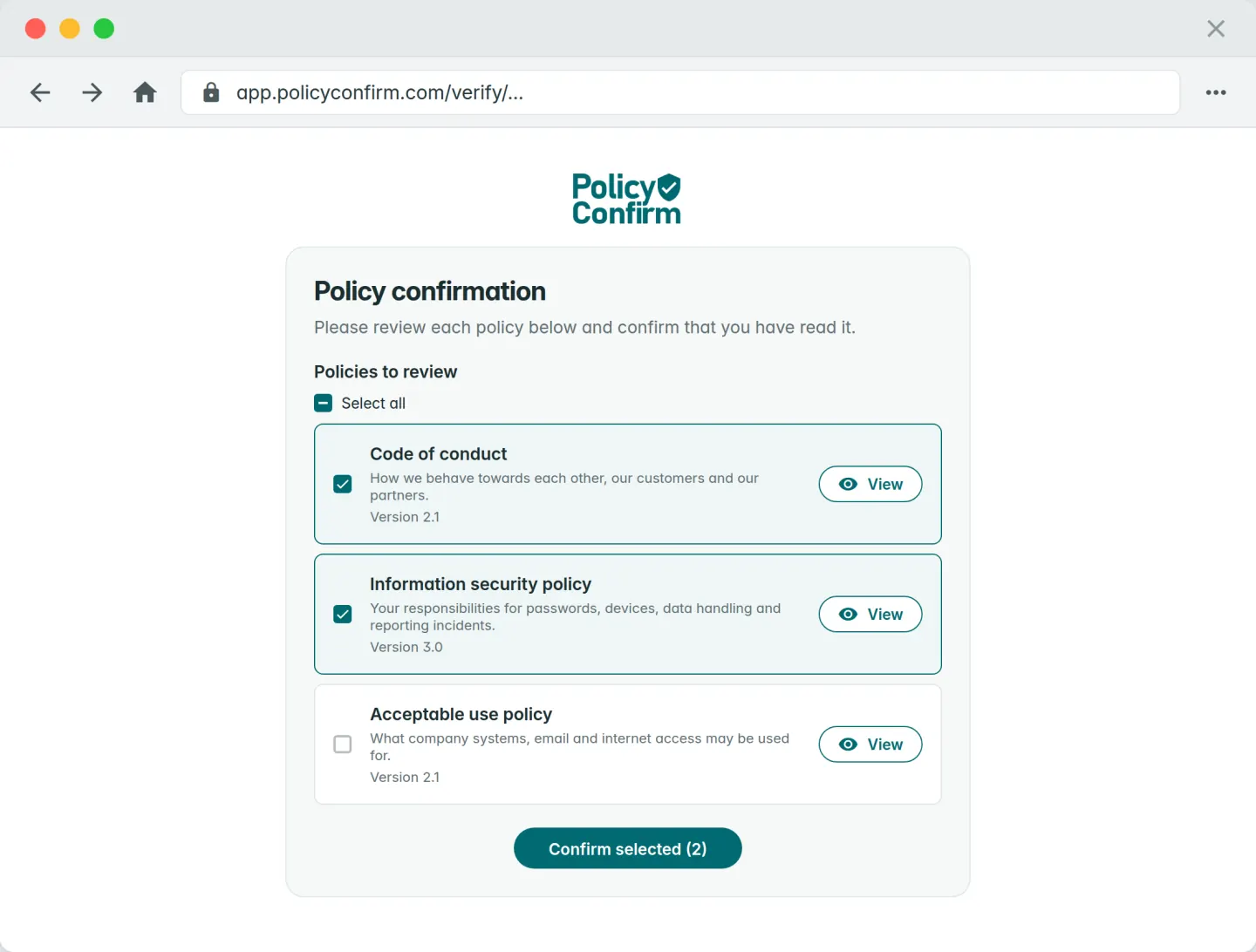
The person confirms
A personal link or the policy portal, a one-time code or Microsoft sign-in, the policies to read, and one click. A quiz or signature if the policy requires it.
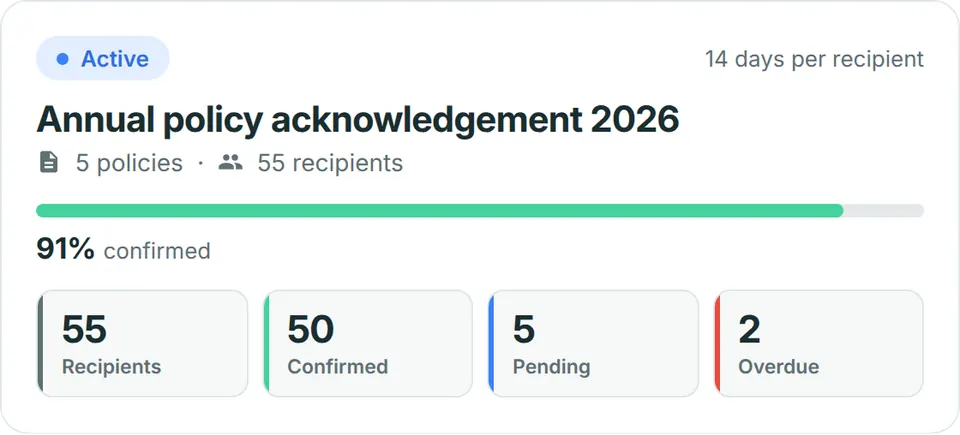
The administrator follows up
Who has confirmed, who is pending, who is overdue. Reminders go out on their own, and someone who joins mid-cycle gets their own deadline.
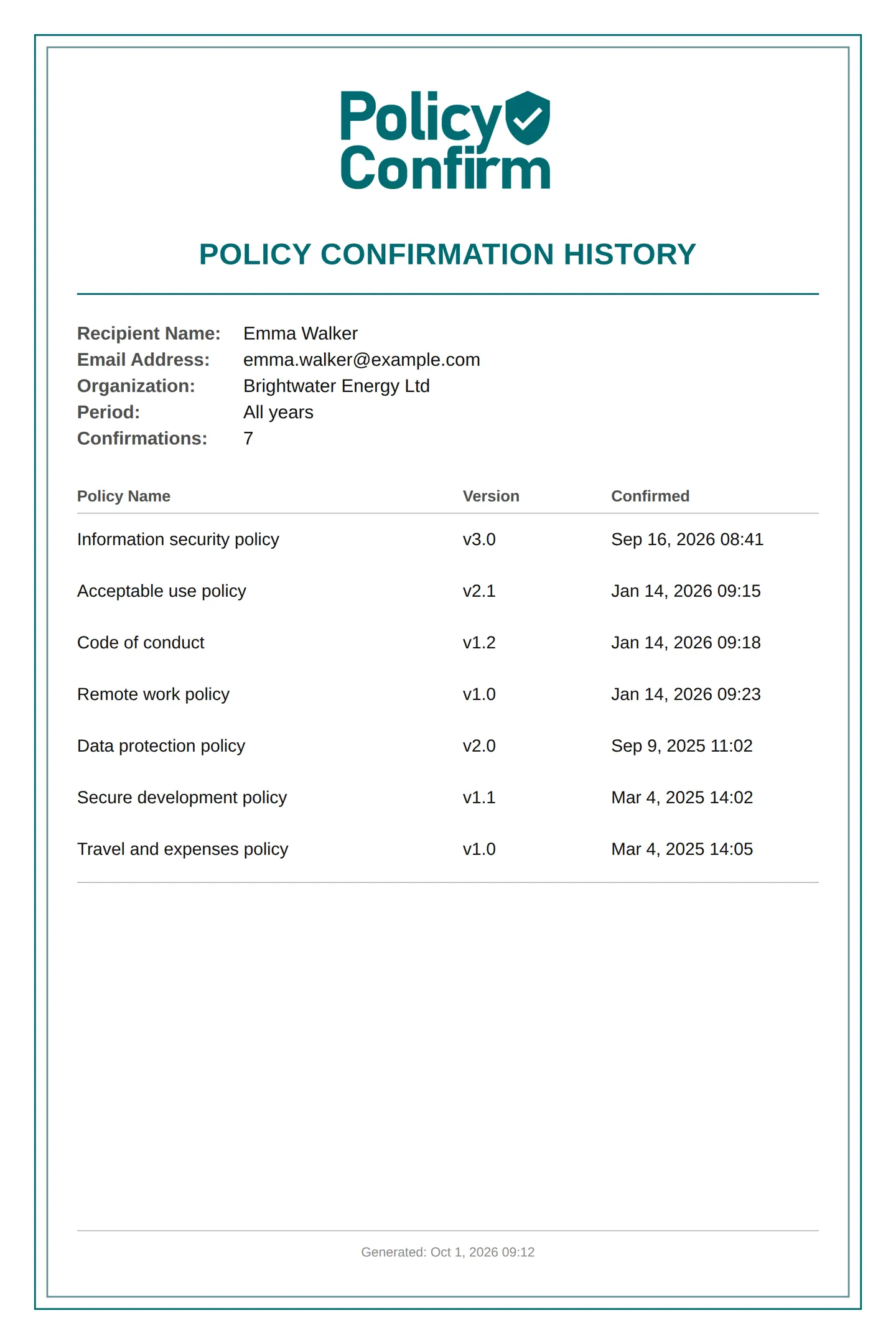
The record stays
Who confirmed which version, when and how. As a PDF or CSV, per person, per group or for the whole organization, for the auditor or the customer who asks.
The process is yours. The record is the same.
No two organizations run acknowledgement the same way, and a system that forces one way gets worked around. What can vary is below. What cannot vary is the four elements above: whatever the route, the confirmation is by a named person, against a version, at a time, and kept.
Different groups, different policies
A department, a site, a role, contractors, or one named person. Each policy applies to the groups you choose, and a cycle can cover one group or the whole organization.
Scheduled, recurring, or by hand
An annual round, a cycle every time a policy changes, or one that runs all year and picks up new joiners with their own deadline. Or send it yourself when you decide.
Documents where they already live
Link a policy to its page in SharePoint or the intranet, upload the PDF, or write where it is kept. The confirmation is recorded against the version either way.
The confirmation you require
A click after a one-time code or Microsoft sign-in. A quiz before they can confirm. A drawn or typed signature. Per policy, not one setting for everyone.
Reference pages
4 pagesThe definitions, written to be cited: what acknowledgement is, why a read receipt is not one, how to design the sign-off, and what the software category does.
What is policy acknowledgement?
A formal definition of policy acknowledgement and its structural requirements.
Read moreRead receipt vs policy acknowledgement
Why an email read receipt or an access log does not qualify as acknowledgement evidence.
Read moreBest practices for employee sign-off
Recommended practices for designing an acknowledgement process that holds up afterwards.
Read morePolicy acknowledgement software
How dedicated software differs from SharePoint, Excel, e-signature tools and HR systems.
Read moreCompared with what you use today
Most organizations already keep policies somewhere and ask people to read them somehow. These pages say where each approach stops, and what is added on top.
SharePoint vs Policy Confirm
Keep the policies in SharePoint. What a library does on its own, and what is added when Policy Confirm links to it.
Excel vs Policy Confirm
A spreadsheet can list who should confirm. It cannot ask them, chase them, or prove what they confirmed.
Policy Confirm vs HRIS acknowledgement modules
HR systems cover employees and one workflow. Versions, contractors and audit retrieval are where they stop.
All comparisons
E-signature tools and GRC platforms too, and why the real alternative is usually no process at all.
When someone asks for proof
The audit side: what counts as evidence, and what ISO 27001 and SOC 2 expect to see.
Audit proof
What auditors and customers accept as evidence that a policy was acknowledged, and what they do not.
ISO 27001 policy acknowledgement
Clause 7.3 awareness and clause 7.5 documented information, and what an auditor asks to see.
SOC 2 policy acknowledgement
How the Trust Services Criteria treat communication of policies and retention of evidence.
Policy acknowledgement that fits how you work
Your groups, your rhythm, your documents where they are. And for every confirmation, a record you can hand over.