Free Policy Acknowledgement Tracker

Track who received each policy, which version they were asked to acknowledge, when it was due and whether acknowledgement has been completed.

A free Excel template for teams currently managing policy acknowledgements through spreadsheets, email or other manual processes.

Download free Excel tracker

Excel (XLSX) · No signup required

Prefer not to maintain the sheet? Policy Confirm sends the policy and collects the acknowledgement.

See how it works

Preview of the acknowledgement tracker sheet

Policy-Acknowledgement-Tracker.xlsx· Acknowledgement tracker
RecipientDepartmentPolicyPolicy versionDistributedDueAcknowledgedStatusDays overdue
Alex MorganFinanceInformation Security Policyv3.101 Sep 202608 Sep 202606 Sep 2026Acknowledged
Tom BeckerOperationsInformation Security Policyv3.101 Sep 202608 Sep 2026Overdue12
Sara LindSalesInformation Security Policyv3.101 Sep 202608 Sep 202604 Sep 2026Acknowledged
Sara LindSalesAcceptable Use Policyv2.015 Sep 202629 Sep 202618 Sep 2026Acknowledged
Mia SorensenHRCode of Conductv1.415 Sep 202630 Sep 2026Pending
Jonas WeberEngineeringCode of Conductv1.430 Sep 2026Not sent

The workbook arrives empty: headers, formulas and formatting, ready for your own records. The rows above are filled in here to show how Status and Days overdue behave once you start using it; you never type those two columns yourself. Email and Evidence / notes are in the file and are left out of this preview for width.

The template records it. Policy Confirm collects it.

Same columns, filled in by the people acknowledging rather than by whoever owns the sheet.

  • Each acknowledgement tied to the version issued
  • Reminders that stop when the person confirms
  • Cycles that recur without a copied sheet
See how Policy Confirm worksFree for up to 10 recipients
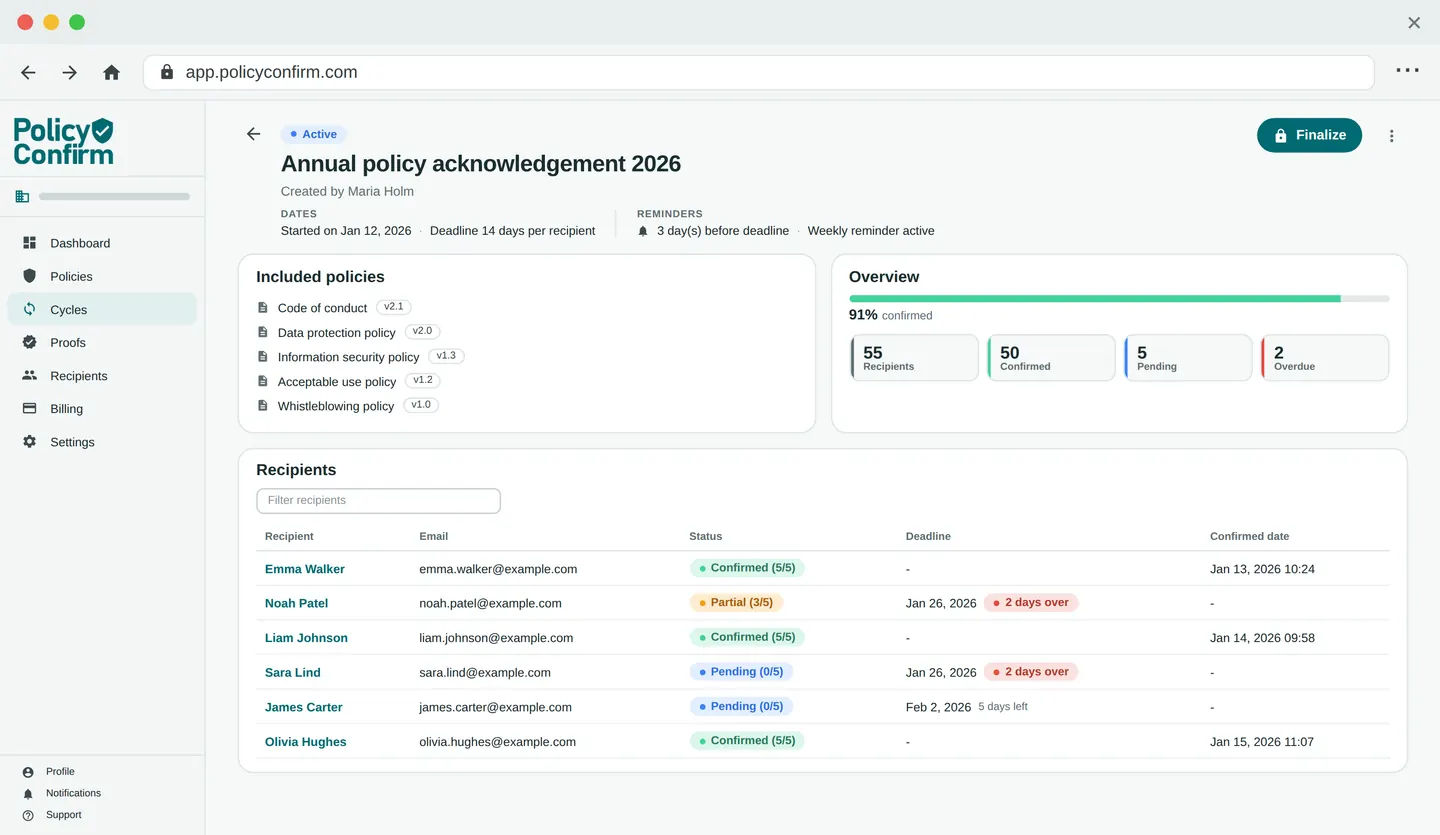
Policy Confirm dashboard showing an acknowledgement cycle with recipient status and progress

What is a policy acknowledgement tracker?

A policy acknowledgement tracker is a structured record showing which employees or recipients received a policy, which version they were asked to acknowledge, whether they completed the acknowledgement and when it happened.

It goes by several names: a policy acknowledgement log, a policy acknowledgement register, a policy sign off tracker. They all describe the same thing, one row per recipient per policy, with enough detail that the question “did this person acknowledge this version, and when?” has a single answer.

Most organisations start with a spreadsheet. That is a reasonable place to start. The distinction that matters is not spreadsheet versus software; it is whether the record is complete enough to be useful six months later, when the policy has been revised twice and the person who maintained the sheet has moved on.

What does the free Excel tracker include?

Three sheets: an overview, the tracker itself, and instructions.

Acknowledgement tracker

One row per recipient per policy version, as an Excel table that runs to 250 rows and extends as you type past the end. Eleven columns, nine of which you fill in:

Recipient
The person who has to acknowledge the policy.
Email
Where it was sent, and how you reach them to follow up.
Department
For filtering by team, site or location.
Policy
Which policy this row is about.
Policy version
The version they were asked to acknowledge.
Distributed
When the policy actually went out.
Due
The acknowledgement deadline.
Acknowledged
When they confirmed. Blank until they do.
Statuscalculated
Calculated from the recipient, the version and the dates.
Days overduecalculated
Filled in while a record is overdue.
Evidence / notes
A pointer to the underlying evidence.

Status, calculated for you

Status is a formula, not a column you keep up to date. It stays blank until a row has both a recipient and a policy version, and then reads the three date columns to produce one of four values:

  • AcknowledgedAn acknowledgement date has been recorded.
  • Not sentNo distribution date yet, often a new joiner.
  • OverdueDistributed, deadline passed, no acknowledgement recorded.
  • PendingDistributed, deadline not yet passed, no acknowledgement recorded.

Acknowledged is tested first, so a record confirmed after its deadline reads Acknowledged rather than Overdue, which is the honest reading, because it was acknowledged. Days overdue is calculated too, and counts up only while a record is actually Overdue; it stays blank the rest of the time.

Overview

A summary sheet that counts the tracker and tells you where to start. Nothing on it is typed in:

  • Total records
  • Acknowledged
  • Pending
  • Overdue
  • Completion percentage

Instructions

Six numbered steps, a worked example, and an honest note on when a spreadsheet starts to become difficult to maintain.

How to track policy acknowledgements

Eight steps. They apply whether you use this template, a different spreadsheet, or a dedicated system.

  1. Add each recipient and policy

    One row per recipient per policy. Someone who has to acknowledge five policies gets five rows, not one row with five policies in it.

  2. Record the policy version

    In its own column, as a stable label: a version number, a date, a document ID. This is the column that answers questions months later.

  3. Record when the policy was distributed

    The date it actually went out, not the date it was approved. The gap between the two is where trackers quietly drift.

  4. Set the acknowledgement deadline

    A due date makes overdue a fact rather than a judgement, and it is what the Status column works from.

  5. Record the acknowledgement date

    The date the person confirmed. Leave it blank until they do. A hopeful date is worse than an empty cell.

  6. Follow up pending and overdue recipients

    Filter Status to Pending or Overdue and you have your chase list. This is the step that consumes the time.

  7. Retain a reference to supporting evidence

    The tracker is an index, not the evidence. Put a pointer in Evidence / notes: an email reference, a file name, a form ID.

  8. Create a new record when a new policy version is issued

    Add rows for the new version rather than editing the old ones. Overwriting destroys the record that people acknowledged the version that was current at the time.

One recipient acknowledging five policies should normally have five records. And when a policy changes, add records for the new version rather than overwriting the old ones. The old rows are the evidence that people acknowledged the version that was current at the time.

Email, Excel, SharePoint or dedicated software?

All four are used in practice, and none of them is inherently non-compliant. Email and spreadsheets are not against the rules, and no framework requires a particular product. The differences are operational: how much manual work the process needs, and how quickly you can produce a clear record afterwards.

DimensionEmailExcel / Google SheetsSharePoint / Microsoft 365Dedicated software
Central status overviewNone. Status lives in whoever's inbox it landed in.Yes, as long as someone keeps the sheet current.Possible with lists and views; needs configuring.Built in, and current by default.
Policy version trackingThe attachment is the version. Nothing records which one.A column you maintain by hand.Document versioning is strong; linking it to a person is not automatic.Each acknowledgement is tied to the version that was issued.
Automated remindersManual. You write each one.Manual. You filter, then write each one.Possible with Power Automate; someone has to build and own it.Scheduled, and stop when the person confirms.
Historical recordsScattered across mailboxes, and lost when people leave.Kept if you add rows. Lost if you overwrite them.Retained, but reconstructing a point in time takes work.Retained per version, per recipient, per cycle.
Recurring acknowledgement cyclesStart again from scratch each year.Copy the sheet and hope the copy stays in step.Needs a new list or a new workflow run.Recurring by configuration.
Evidence retrievalSearching mailboxes under time pressure.Immediate summary; the underlying evidence is elsewhere.Available, usually after some assembly.Exported on request.
ScalabilityFine for one policy and a few people.Comfortable for tens of records; heavy in the hundreds.Scales technically; the admin effort scales with it.Effort stays flat as recipients and policies grow.

When does Excel stop being enough?

Excel can work well for smaller or relatively simple policy acknowledgement processes. It becomes harder to maintain as the number of recipients, policies, versions and recurring cycles increases.

The failure mode is rarely dramatic. The spreadsheet does not break; it drifts. A date typed in from memory, a version column left at the old value, a row overwritten during an update. Nothing looks wrong, and the record quietly stops matching what happened. These are the signals that the manual work is starting to cost more than the spreadsheet saves:

  • Policies are updated often, so the same people are asked again and again.
  • There are many recipients, and the list changes.
  • Several departments or locations each track their own way.
  • Acknowledgement is a recurring annual requirement, not a one-off.
  • People join throughout the year and need policies that went out months ago.
  • Chasing pending and overdue recipients has become somebody's regular job.
  • Evidence requests arrive with a deadline attached.
  • Nobody is quite sure which version a given person actually acknowledged.

Need to automate the process?

Policy Confirm can manage:

  • policy distribution
  • acknowledgement collection
  • reminders
  • recurring cycles
  • policy version tracking
  • historical records
  • evidence generation
See how Policy Confirm works

What counts as audit evidence for policy acknowledgement?

It depends who is asking, and it is worth separating three things that often get merged:

Legal requirements

Specific to the policy and the jurisdiction. Some documents carry a signing or notification requirement in employment law or sector regulation; many internal policies do not. This is a question for your own legal advice, not something a template can answer.

Framework requirements

Frameworks such as ISO 27001 and SOC 2 are written in terms of outcomes: that policies are communicated, that personnel are aware of the ones relevant to them. They generally do not name a mechanism, and they do not mandate a particular tool or a signature. How you demonstrate the outcome is left to you.

Common governance and audit practice

This is where explicit acknowledgement usually comes from. It is a widely used way of showing that a policy reached the people it applies to, and different auditors ask for different depth. Expect to be asked how the record was produced, not just to be shown the summary.

In practice, a useful acknowledgement record contains the recipient, the policy, the policy version, the distribution date, the acknowledgement date, the current status, and a reference to the supporting evidence. The tracker holds the first six. The seventh is the pointer to wherever the underlying evidence actually lives, which is why the workbook has an Evidence / notes column rather than pretending the spreadsheet is the evidence.

For more on what a record needs to survive scrutiny, see audit proof for policy acknowledgement and Excel spreadsheets versus audit logs.

Frequently asked questions

A policy acknowledgement tracker is a structured record showing which employees or recipients received a policy, which version they were asked to acknowledge, whether they completed the acknowledgement and when it happened. It is usually a spreadsheet, a register in a document management system, or a dedicated tool.

Yes. A spreadsheet is a legitimate way to track policy acknowledgements, and for a smaller organisation with a handful of policies it is often the sensible choice. What it does not do is distribute the policy, collect the confirmation, or chase anyone. Those stay manual, and the workload grows with the number of recipients, policies and versions.

In common practice: the recipient, the policy, the policy version, the date it was distributed, the date it was acknowledged, the current status, and a reference to the supporting evidence. The version and the two dates are the fields most often missing, and the ones most often asked about later.

Give the version its own column and create a new record when a new version is issued, rather than editing the existing one. If you overwrite the old row, the record now says the person acknowledged a version that did not exist when they acknowledged it.

Record a due date for every record and compare it with today's date and the acknowledgement date. In the free tracker this is calculated: Status becomes Overdue when the deadline has passed with no acknowledgement recorded, and Days overdue counts how far past it the record is.

It depends on the policy and the jurisdiction. Some policies carry a specific legal or contractual signing requirement; many do not. Acknowledgement is widely used as governance practice because it demonstrates that a policy was communicated and received, which is a separate question from whether a signature is legally required.

Enough to reconstruct what happened without relying on memory: who the recipient was, which policy and which version, when it was distributed, when it was acknowledged, and where the underlying record lives. What a particular auditor asks for varies, so retain the reference alongside the tracker rather than only the summary.

When the manual steps around the spreadsheet start costing more than the spreadsheet saves. In practice that means frequent policy updates, many recipients across several departments or locations, recurring annual acknowledgement cycles, people joining throughout the year, and evidence requests you cannot answer quickly.

Download the free Excel tracker

Recipients, policy versions, due dates, acknowledgement dates, calculated status and overdue days. Free download. No signup required.

Download free Excel tracker

Excel (XLSX) · No signup required

Want more practical policy compliance resources?

Get occasional templates, checklists and audit resources by email. Entirely optional, and you already have the tracker, and this changes nothing about it.

No spam. Unsubscribe at any time. See our privacy policy.

When the spreadsheet becomes the job

Policy Confirm distributes policies, collects explicit acknowledgements against a specific version, follows up the people who have not responded, and produces the record as an export.

Get started
Try with up to 10 recipientsNo credit card
Get started in secondsMagic link access
Choose between EU or US hosting
See how it works